Hands-on tutorials for the FOMO+ Web App itself — customizing headers, data fields, and more. Free for all students, just click Sign Me Up! below to enroll.
Course Information
Course Instructor

Free Instant Access
Navigating the FOMO+ Web App
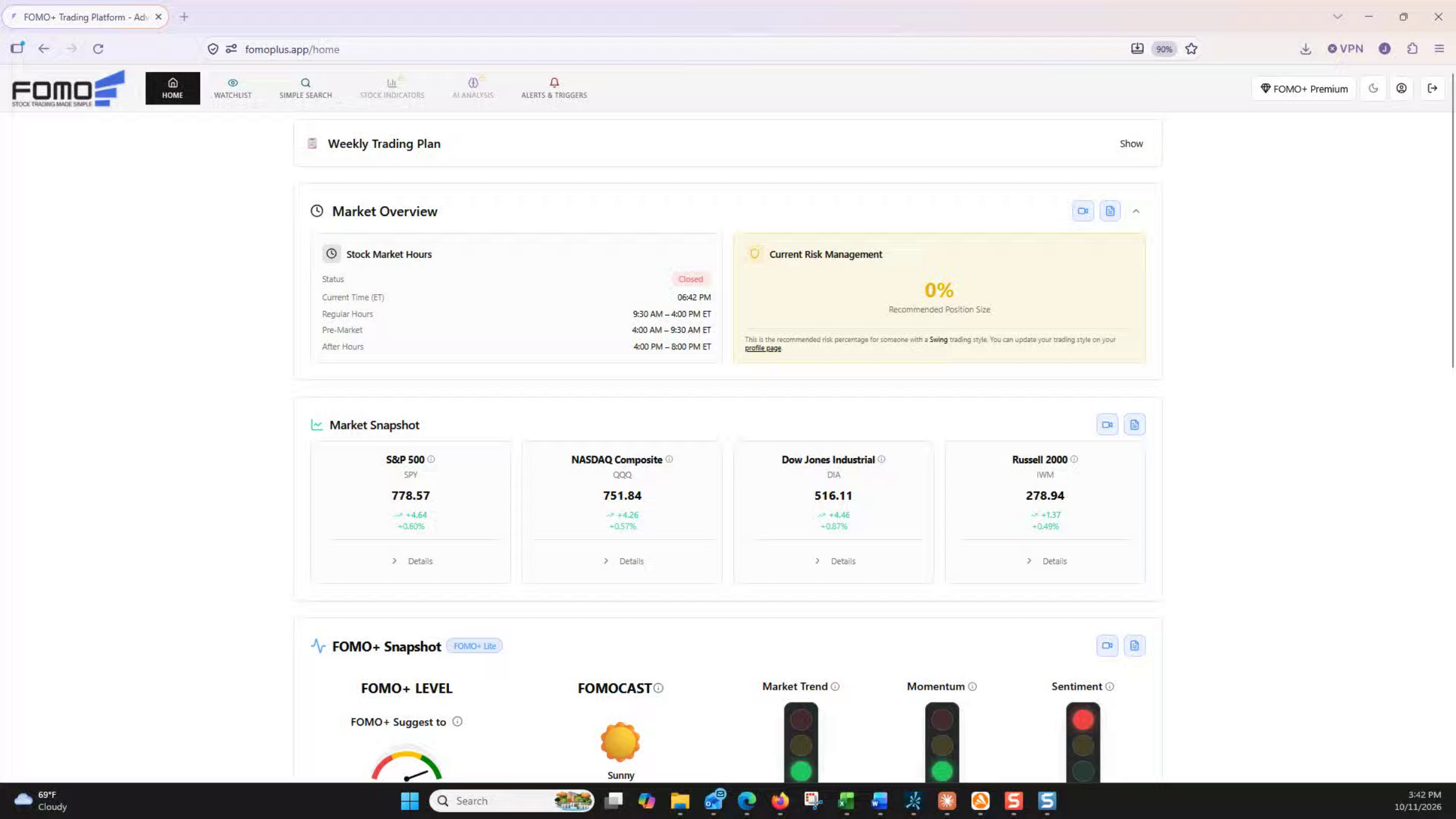
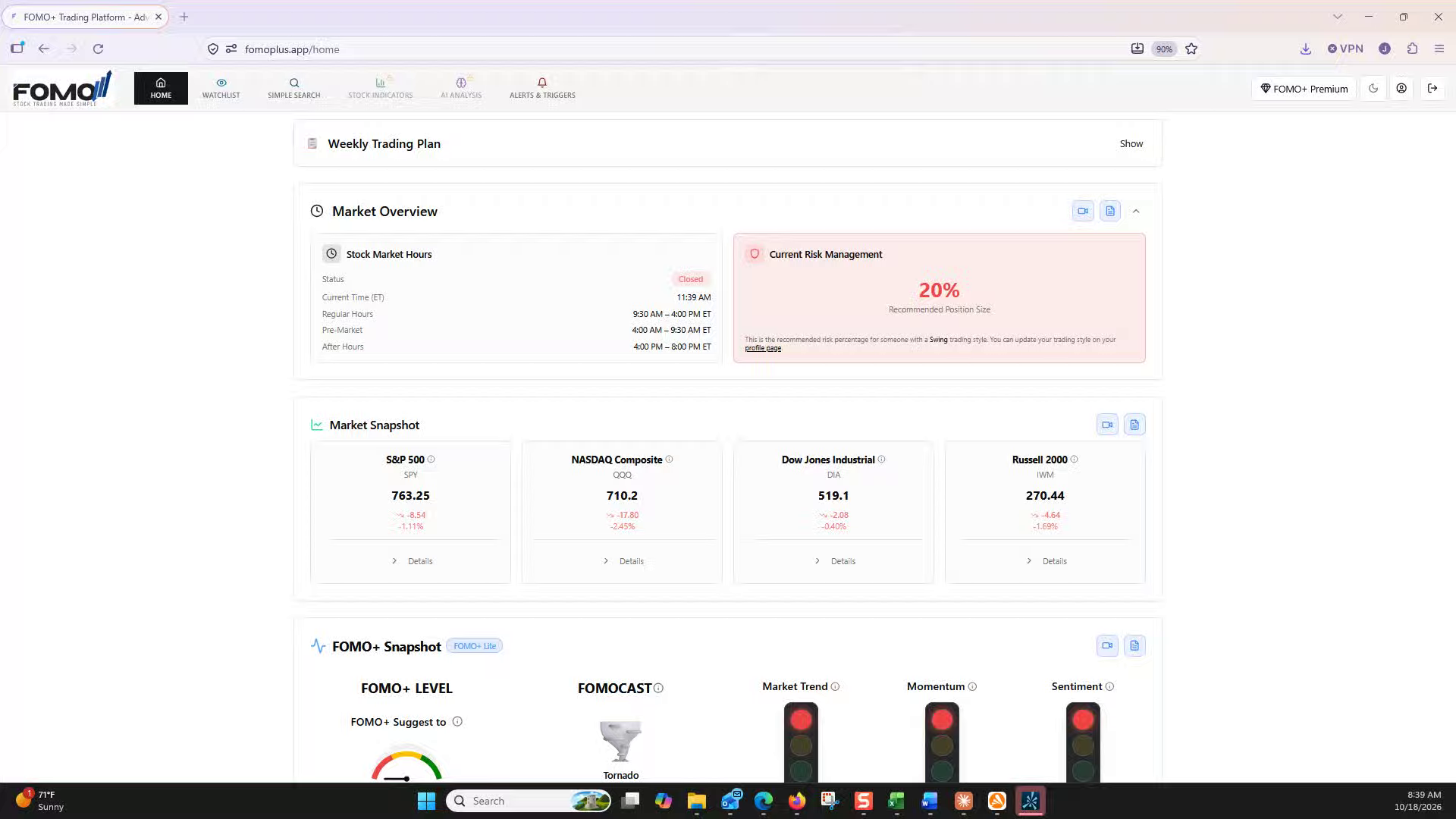
Tour the FOMO+ home dashboard: read the Market Overview and Market Snapshot for live market hours and index performance, use the FOMOplus Snapshot and Sector Snapshot to gauge market sentiment and sector strength, and set your subscription tier, display mode, and trading style preferences.
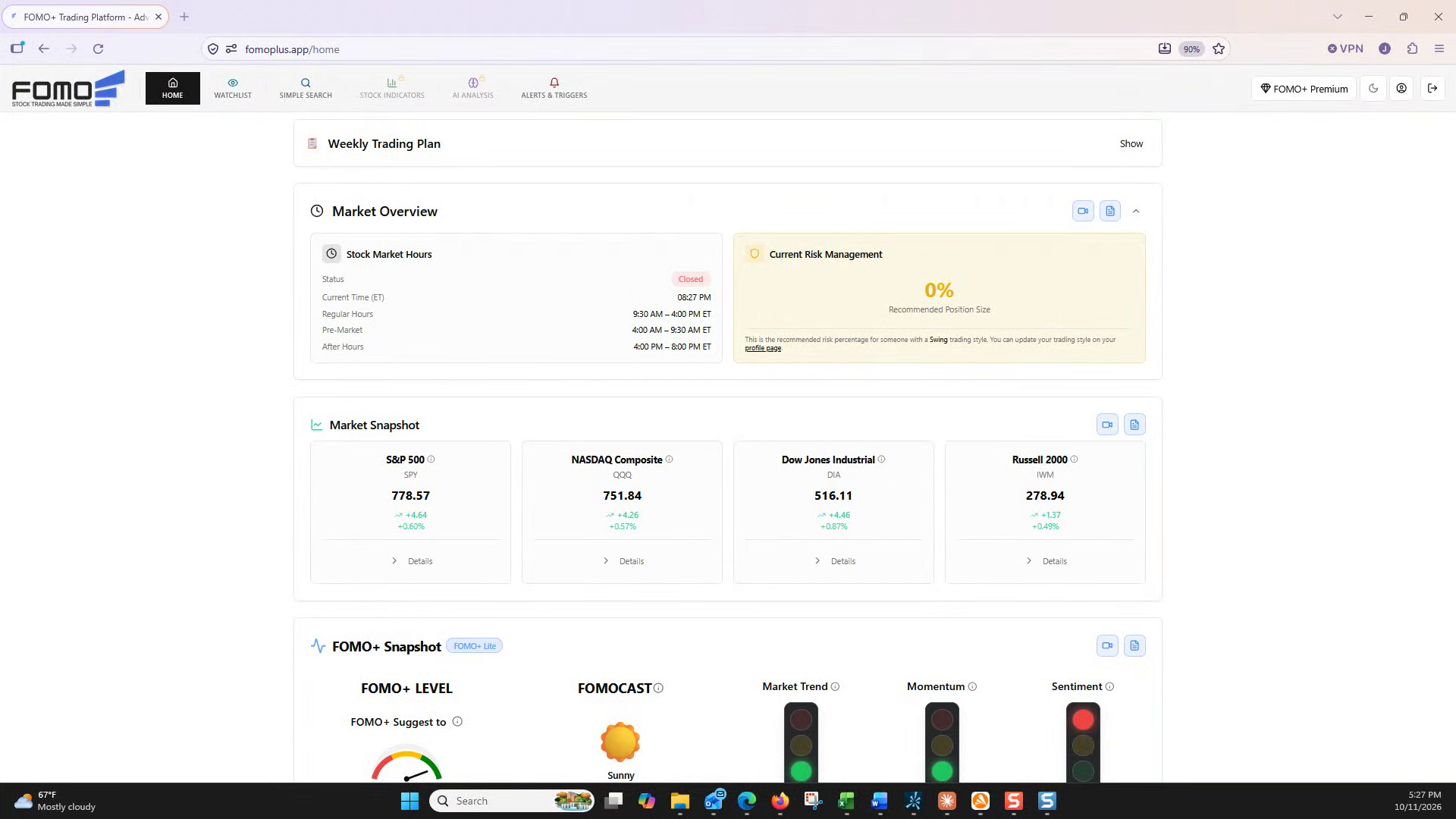
Read the Market Overview before every trade: check live market hours, understand the risk management badge and suggested position size, and set the trading style that drives your risk calculations.
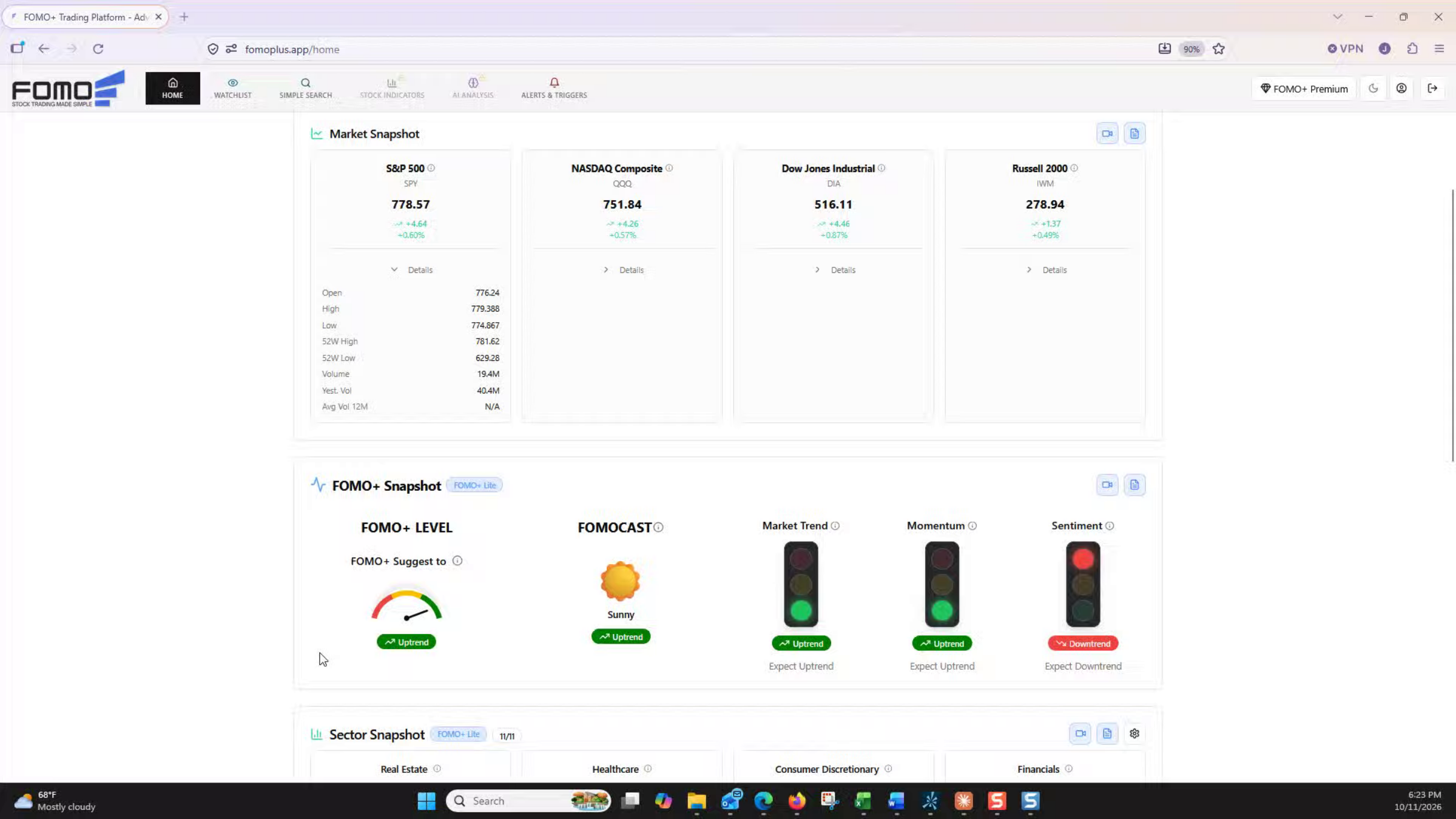
Read the Market Snapshot at a glance: the S&P 500, Nasdaq, Dow Jones, and Russell 2000 cards, what their price and percentage changes mean, and how to use each index’s Details to check volume and trend before you trade.
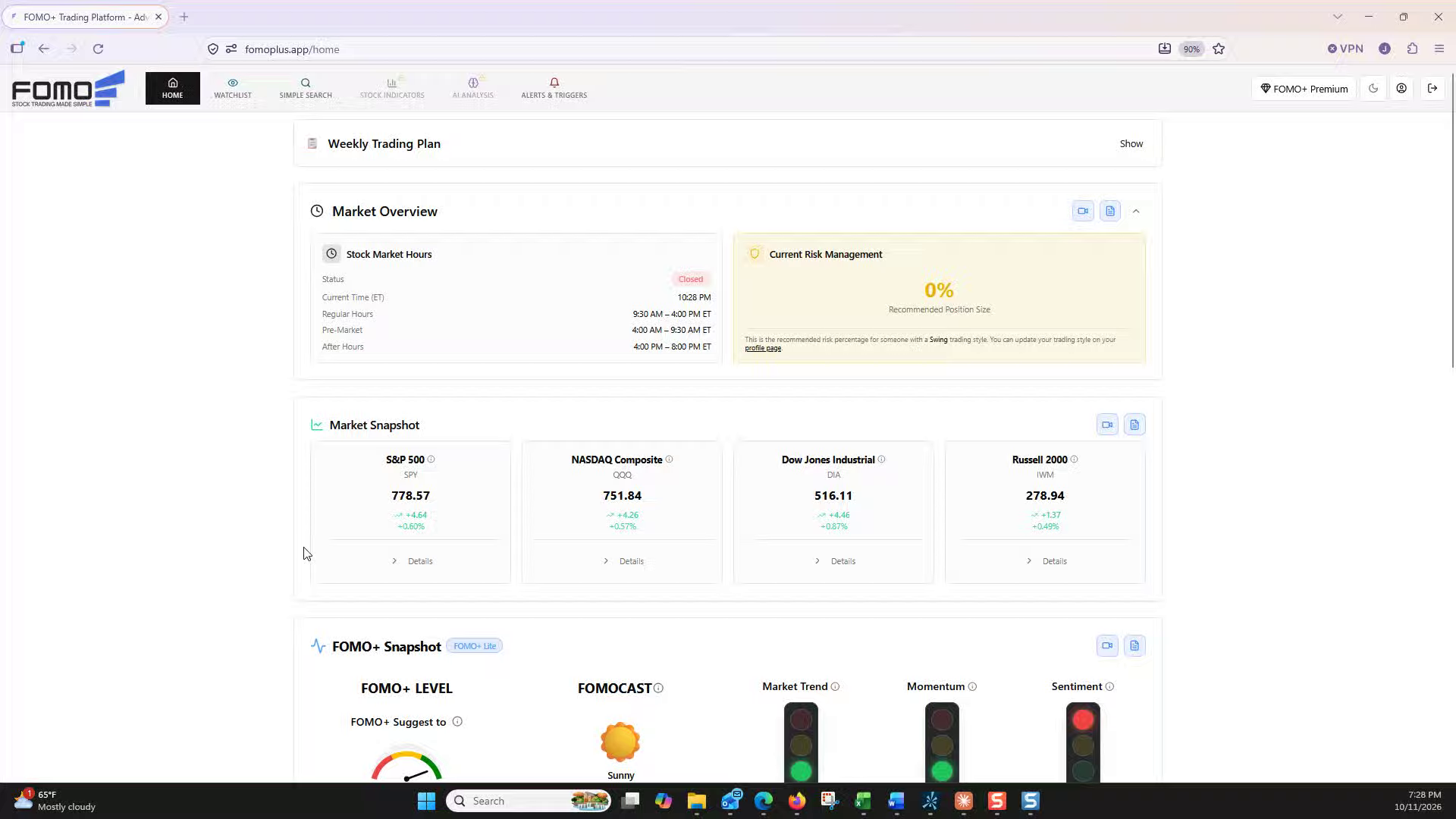
Read the FOMO+ Snapshot in one glance: the FOMO+ Level gauge, the FOMOcast weather forecast, and the Market Trend, Momentum, and Sentiment traffic lights that show whether long, medium, and short-term trends agree.
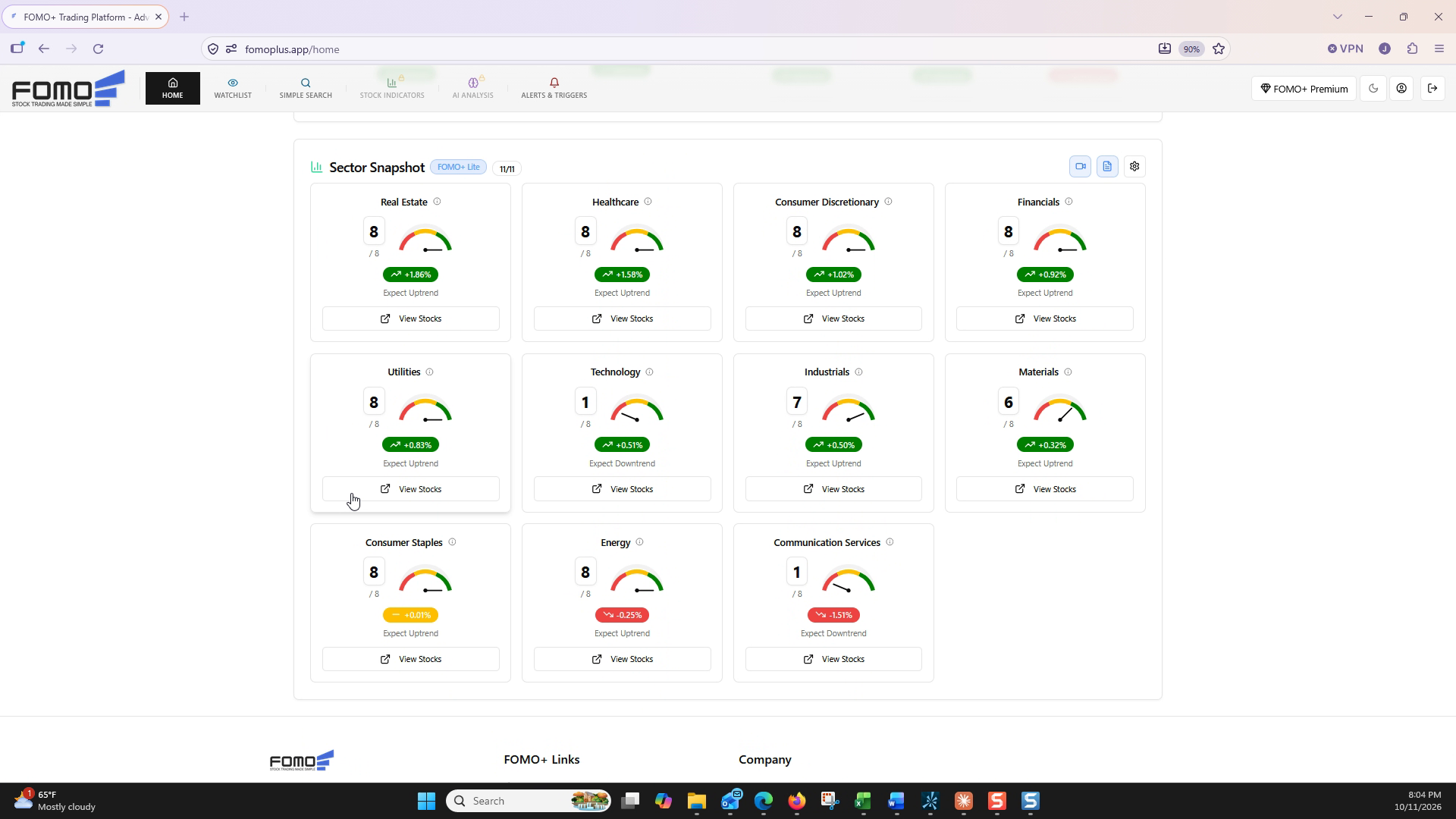
Use the Sector Snapshot to find where momentum is building: read each sector’s score and gauge, rank the 11 sectors, drill into the strongest with View Stocks, filter and sort the tickers, and add the best setups to your watchlist.
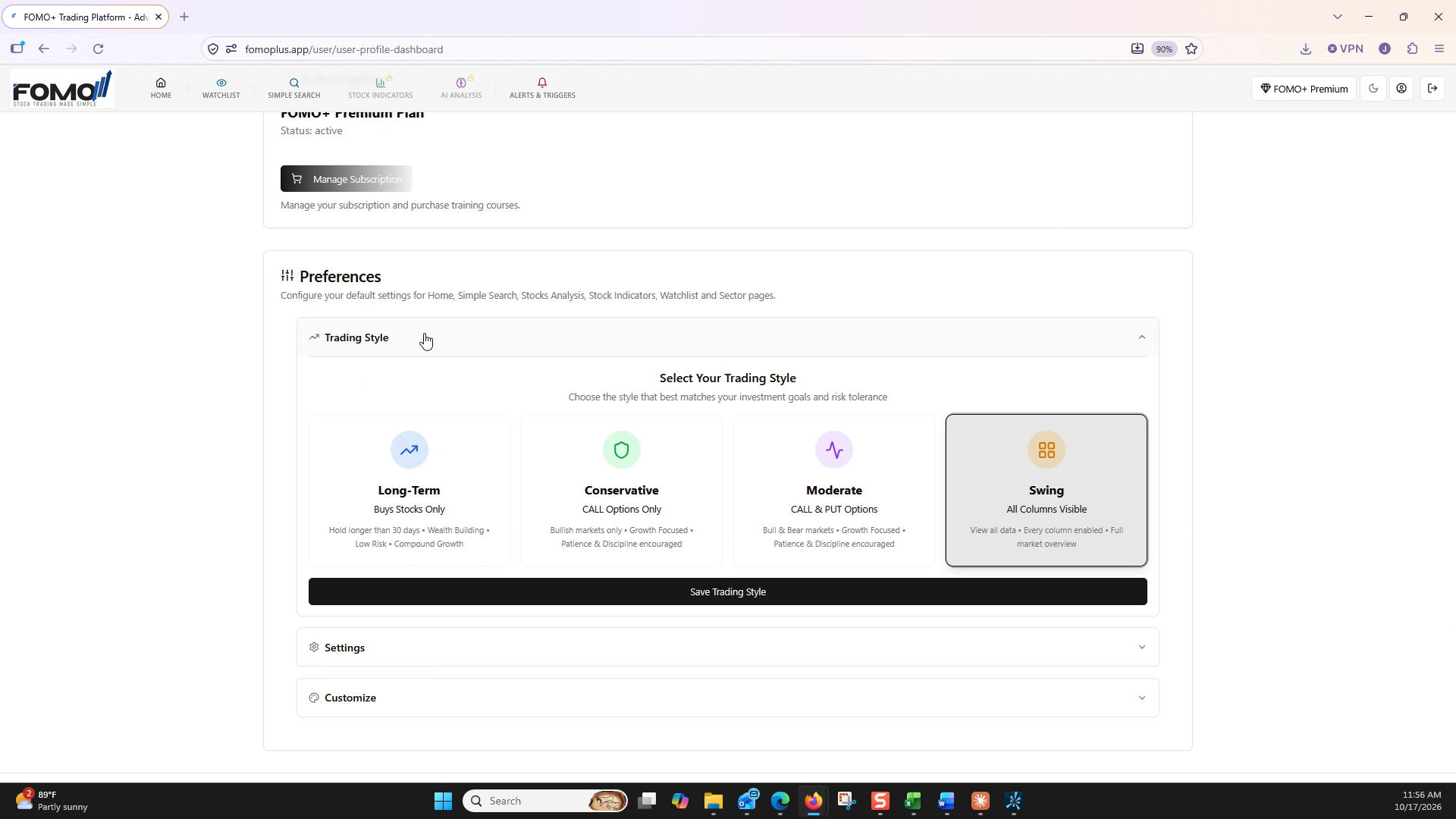
Configure your trading style in the FOMO+ profile settings: compare the Long-Term, Conservative, Moderate, and Swing Investor profiles, then set the one that matches how you trade.
Customize your headers and data fields to tailor your watchlist: configure uptrend, downtrend, and signal columns to match how you trade.
Use the Simple Search page to scan the market fast: pick a strategy category like Index, ETF Investor, or FOMO Stock Group, apply your parameters, and build a watchlist of the setups that fit your approach.
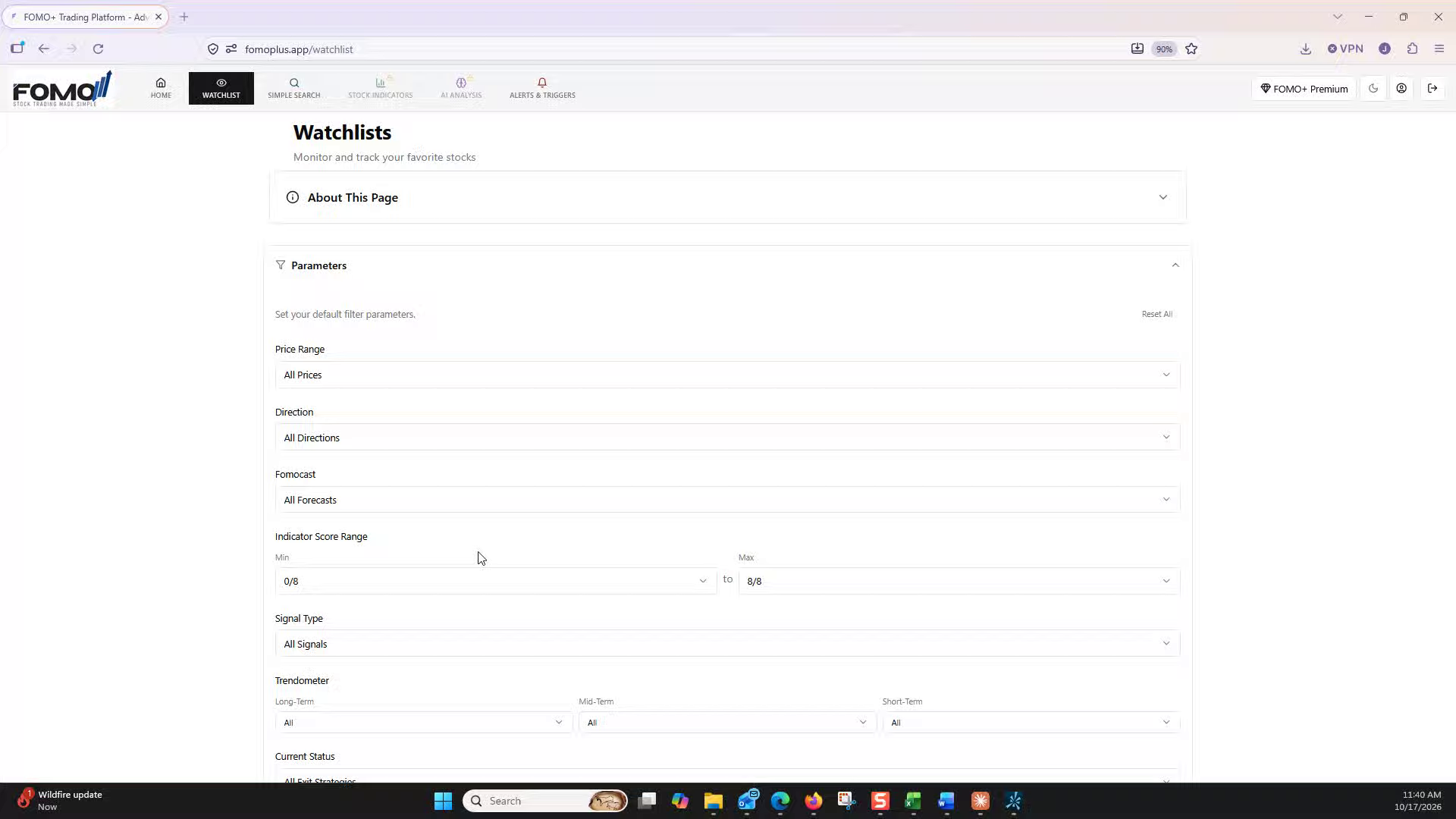
Use the Parameters panel to focus your stock list on setups that match your trading plan: price range, direction, FOMOcast, indicator score, signal type, Trendometer, and current status, all working together.